In this case, the systems had successful SCCM client installed, but the status remained In-Active despite several attempts of re-pushing the client and WMI remediation. One of the log files, “ClientIDManagerStartup.log” showed the below error messages:

[RegTask] – Client is not registered. Sending registration request for GUID:00XXX000-X00X-000X-0000-00XX00X000X0 …
RegTask: Failed to send registration request message. Error: 0x80040154
RegTask: Failed to send registration request. Error: 0x80040154
RESOLUTION:
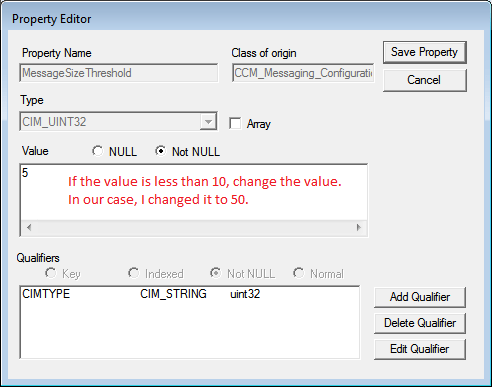
This problem occurs if the MessageSizeThreshold value on the client is set to a value that is too low. For example, this problem may occur if the MessageSizeThreshold value is set to 5 or less.
To resolve this problem, change MessageSizeThreshold to a larger value. For example, set the value to 10.
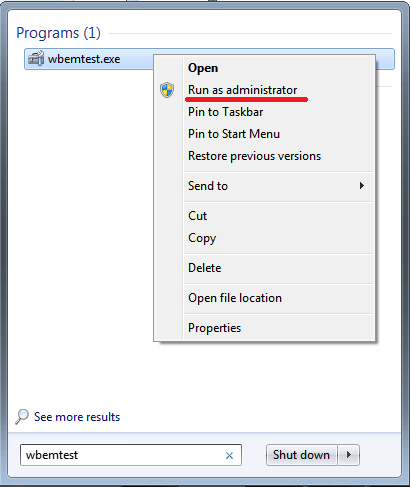
- Launch WBEMTEST: Go to Start Menu, and type wbemtest in the search bar. Ensure to run in elevated mode.
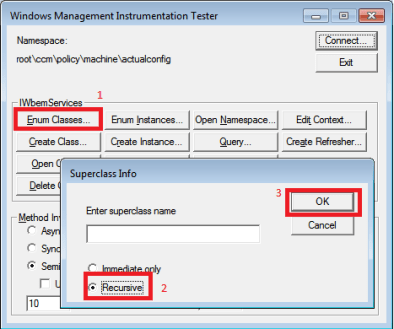
- Connect to the following namespace: root\ccm\policy\machine\actualconfig

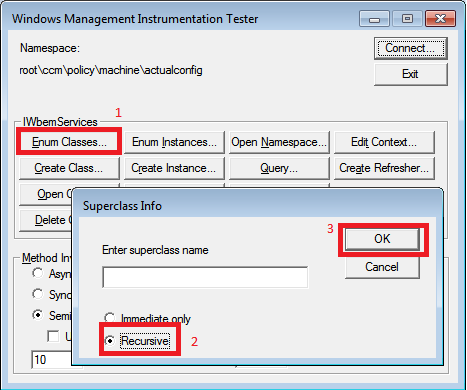
- Click Enum Classes, and then select Recursive, and click OK.
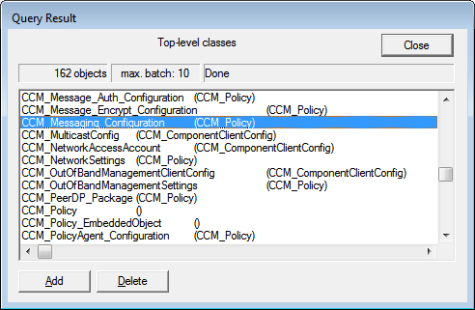
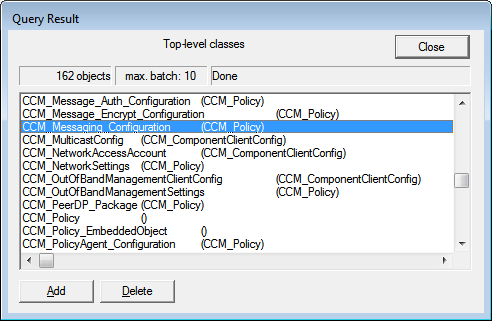
- In the Query Result dialog box, double-click CCM_Messaging_Configuration.
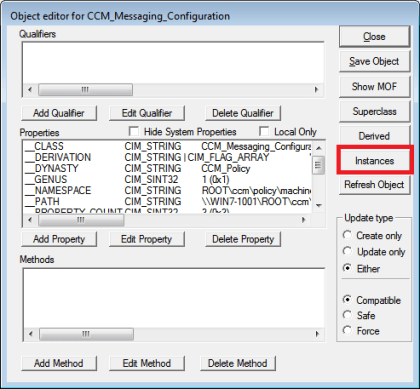
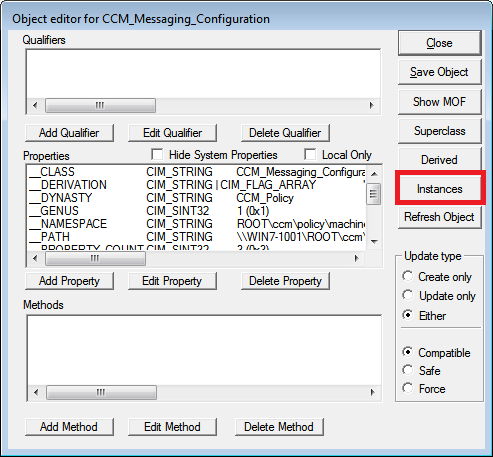
- In the Object editor for CCM_Messaging_Configuration dialog box, click Instances.
- In the Query Result dialog box, double-click CCM_Messaging_Configuration.DummyKey=1.

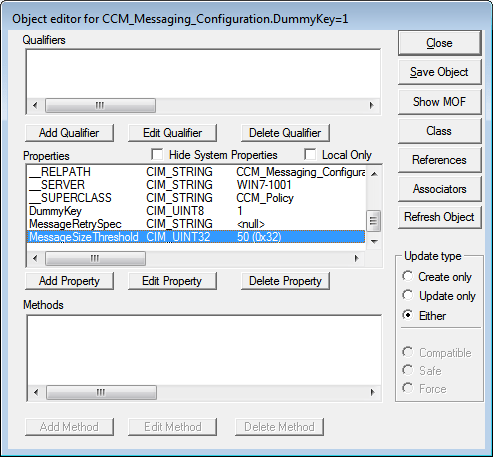
- In the Object editor for CCM_Messaging_Configuration.DummyKey=1 dialog box, double-clickMessageSizeThreshold.
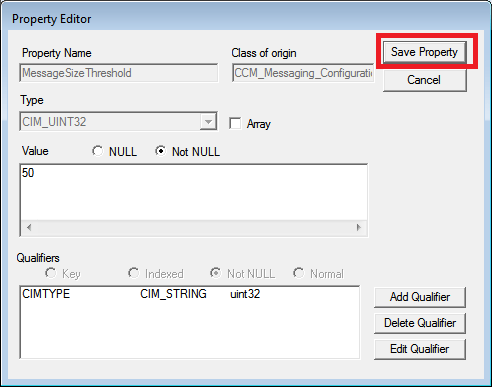
- In the Property Editor dialog box, change the value to 50 in the Value box, and then click Save Property.
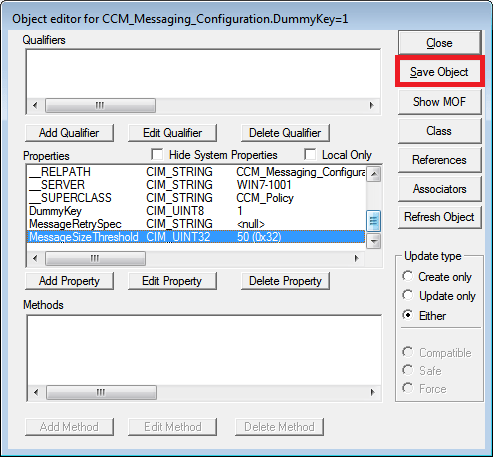
- In the Object Editor for CCM_Messaging_Configuration.dummyKey=1 dialog box, click Save Object.
- In the Object editor for CCM_Messaging_Configuration dialog box, click Save Object, and then close all the Query Result dialog boxes.
- Exit Windows Management Instrumentation Tester.
- On the client computer, restart the SMS Agent Host service (CcmExec.exe).




 Talha Qamar